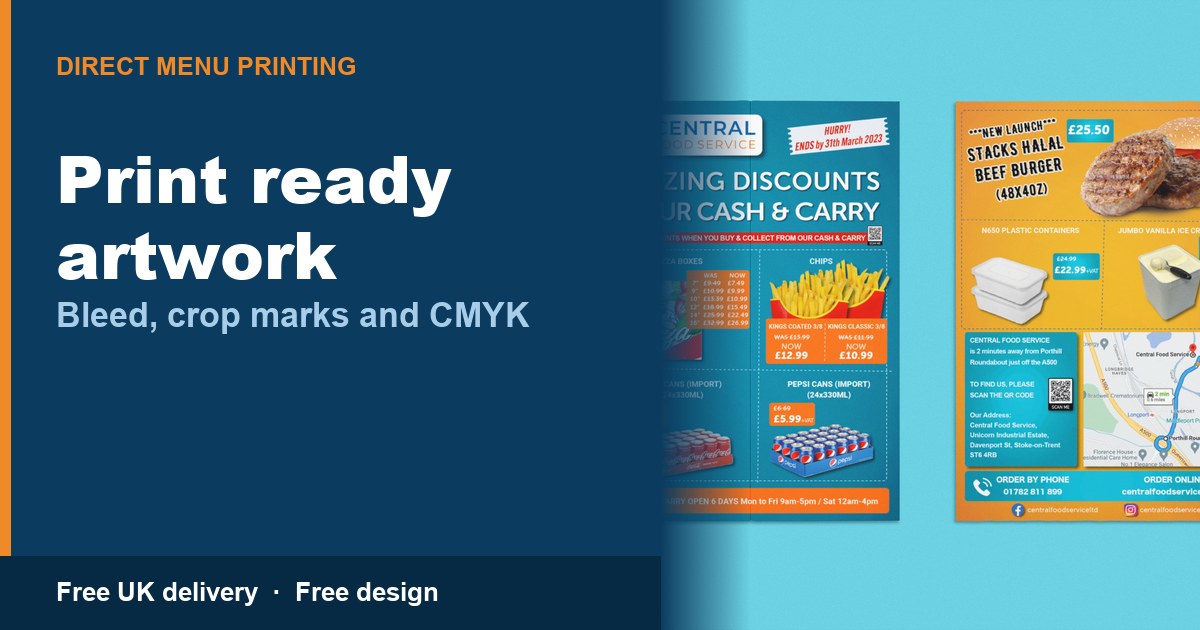
How to Send Artwork That Prints Properly: Bleed, Crop Marks and CMYK
A print-ready menu file is a PDF at 300 dpi, in CMYK, with 3mm bleed and crop marks, and all text kept at least 10mm inside the trim edge. Miss any of those and the printer either fixes it, asks you to resend it, or prints it as it is and lets you see the fault after it is cut. I check every file for exactly this before it goes near a press.
What does "print ready artwork" mean?
It means a file built to the exact finished size of the product, with 3mm bleed, CMYK colour, 300 dpi resolution, crop marks and all text inside a 10mm safe margin. A file missing any one of those isn't print ready, even if it looks fine on your screen.
What is bleed, and why does my menu need 3mm of it?
Bleed is 3mm of extra image or colour that runs past the edge of the finished page, so nothing shows a white line after trimming. A guillotine cutting a stack of menus never lands on exactly the same spot twice, it moves by a fraction of a millimetre. If your background stops right at the trim line, that shift exposes a sliver of white paper along the edge. Extend the background 3mm past the trim on every side and there is room for that movement without ever showing a gap.
What is the safe area, and why does it matter?
The safe area is a 10mm margin inside the trim line where nothing important should sit, because bleed protects the edges but the safe area protects your content from the cutter. Your phone number, prices and logo need to stay inside that border, or they can get sliced off or land crooked once trimmed, and for a folded menu, creased too. If you are still deciding between formats, the A4, A5 and A3 menu size guide covers how much room each one gives you for text.
CMYK vs RGB: why will my colours look different when printed?
A screen mixes light using red, green and blue, and a printer mixes ink using cyan, magenta, yellow and black, so an RGB file has to be converted and some colours cannot survive that jump. A bright blue or a neon green can look electric on your phone, then come out noticeably duller on paper, because CMYK ink physically cannot reproduce those tones. It is the most common surprise for anyone printing a menu for the first time, so design or check your file in CMYK before you send it.
What is print-ready PDF resolution, and why doesn't my phone photo work at A4?
Print-ready resolution is 300 dpi at the finished size of the page, and most images pulled off a phone or a website fall well short of that once stretched up to A4 or A3. A photo that looks sharp on a 6 inch phone screen has nowhere near enough pixel detail to cover a full A4 sheet, so the print comes out soft or blocky, especially on food photography where texture matters. Size images correctly before you place them, rather than trying to fix a small image afterwards.
How do I create a print-ready PDF?
You export from your design software as a PDF, set the colour mode to CMYK, add 3mm bleed, and outline or embed every font before sending it. If a font isn't outlined or embedded, the software opening your file substitutes a different one, and that substitution changes line spacing and text width enough to push words off the page. Outlining turns the text into shapes, so there is nothing left to substitute. For a folded menu, check your fold lines against the menu fold types guide first, since a fold in the wrong place can push text out of the safe area even in an otherwise correct file.
Print-ready menu specs, and what goes wrong without them
| Spec item | Correct value | What goes wrong if you skip it |
|---|---|---|
| File format | An editable file opens differently on someone else's computer and fonts or colours shift | |
| Colour mode | CMYK | Bright screen blues and greens print duller than expected |
| Resolution | 300 dpi at final size | Images that look sharp on screen print blurred or pixelated on paper |
| Bleed | 3mm beyond the trim | A thin white line appears along the edge after trimming |
| Safe area | 10mm inside the trim | Text, prices or your logo get cut off or land crooked |
| Fonts | Outlined or embedded | Font substitution reflows the whole layout and moves your text |
What if I don't have any of this?
Send me a photo of your current menu, or just a list of your dishes and prices, and I build the print-ready file for you at no design cost. Most takeaway owners who come to me have exactly that: a picture of an old laminated menu, or a PDF from a printer they no longer use. That's normal, and it's the reason the design service exists. You pay 20% of the order by card when the first draft is shared, then the balance once the design is finished, before anything goes to print. Every file gets a free artwork check first.
Costs are tight enough for takeaways without paying twice for the same print run. The Foodservice Price Index rose 1.8% in a single month in June 2026, the largest monthly move of the year (Prestige Purchasing / NielsenIQ). Shaun Allen, Prestige Purchasing's chief executive, said on 24 July 2026: "The 1.8% month-on-month spike is a stark reminder of how fragile the food supply chain remains." Staff costs moved too, with the National Living Wage rising from £12.21 to £12.71 on 1 April 2026 (gov.uk), and UKHospitality is forecasting 2,076 hospitality closures in 2026 without a change to business rates (UKHospitality, 12 January 2026).
How can I print a menu with no design experience?
You send me the content, I build the file to print-ready spec, you approve the draft, and I place the order. Full menu printing prices are on the pricing page if you want run costs first. As an example, 1,000 A4 folded menus, the A4 folded 4 page leaflet, is £108.34, against about £200 for the same spec from menudesignandprint.com, verified 2026-09-16. A5 flat, 1,000 copies, is £89.32. Prices correct as of September 2026. If you would rather someone else build the file from the start, the menu artwork and graphic design service is the free route into exactly that.
Frequently asked questions
Do I need to know what bleed or CMYK mean before I contact you?
No. Send a photo of your current menu or a list of dishes and prices and I build the print-ready file, bleed, CMYK and all, as part of the free design service. You only need your dishes and prices.
Can I send a Word document or a Canva export instead of a PDF?
You can, and I will convert it, but fonts and colours sometimes shift. A PDF exported from the original file, with fonts embedded, avoids that risk and is the safest option if you already have design software.
What happens if my photo is too low resolution for the size I want?
I tell you before printing, not after. If a photo cannot cleanly cover the page at 300 dpi, I source a suitable replacement or suggest a smaller format such as A5, where the same photo holds up.
Will you check a file I built myself before it prints?
Yes, every file gets a free artwork check regardless of who built it. I look at bleed, resolution, colour mode and fonts, and flag anything that needs fixing before the order goes to print, not after.
How long does the whole process take once I send my file or photo?
Standard turnaround is 5 to 9 working days from approved artwork to delivery, or 48 hours express if you are stuck for time. Design and the free artwork check happen before that clock starts.
Read next
- Menu folds explained, from half fold to gate fold
- A4, A5 or A3: which menu size to print
- What menu printing actually costs in the UK
See all menu printing guides, or send me a WhatsApp on 07883 297 737 and I will price your own quantity.
